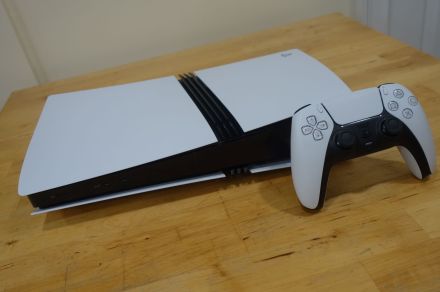
Have you just unwrapped a PlayStation 5 or perhaps the new PS5 Pro? If so, congratulations! sony’s sleek console has taken the gaming world by storm, thanks to its remarkable upgrades over the previous generation, the PS4, and an outstanding selection of games.
Once you’ve set it up, you might be wondering what to do next. wiht five years of updates and a vast library of titles available, we’ve crafted this guide to help you transition from powering on your console to enjoying free games through PlayStation Plus and much more.
Get Started: Plug it In!
This may seem straightforward, but it’s crucial. The HDMI 2.1 cable included in your box is essential for unlocking your PS5's full potential.We recommend replacing any existing cables with this one for optimal visual quality.
While you're at it, ensure that nothing obstructs the ports on top or front of your console.This will allow proper airflow for cooling. If possible, connect your internet via Ethernet; this often results in a more stable connection and faster download speeds.
As a notable example, my PS5 Pro sits behind my TV with ample ventilation and is connected directly to a mesh network node via Ethernet. While perfect conditions aren’t always achievable, doing what you can now will set you up for success later on.
Connect Online & Update Your System
This step might feel obvious too! your PS5 comes equipped with Wi-Fi and Ethernet capabilities; however, you'll need a PlayStation Network account to access online features.
The setup process is quick but can be slow during peak times like Christmas Day due to server traffic. If you're gifting a PS5 this holiday season, consider setting it up beforehand—downloading necessary updates and creating an account—so that when it's unwrapped, they can dive right into gaming without delays.
Optimize USB Power Settings
You don’t have to do this step right away but enabling charging for your DualSense controller while not in use means less downtime without tangled cables getting in the way.
To adjust these settings on your PS5: go into Settings > System > Power Saving > Features Available in Rest Mode. You can choose whether USB ports supply power for three hours or continuously (though keep in mind that continuous power usage increases energy consumption).
Transfer Saved Games from Your PS4
If you've been playing on a PS4 and want all those saved games transferred over seamlessly—you’re in luck! You can easily move data using network transfer if both consoles are connected either through Wi-Fi or an Ethernet cable.
Select Settings > System > System Software > Data Transfer on both consoles to start moving files over smoothly!
If you've misplaced your old console but still have cloud saves stored online? No problem! Just head over to Settings > Saved Data where you'll find options available for downloading cloud-stored data directly onto your new system!
move Your Old Games Using External Storage
The same network transfer feature works wonders when shifting old games from one system onto another—but if speed matters (and who doesn’t love fast?), using an external hard drive could save time!
Simplistically put: move those beloved titles onto an external drive first before plugging it into the shiny new device—it’ll recognize them instantly! Just remember some limitations exist here:
- You can play most older titles off either internal/external storage while newer ones require installation solely onto internal drives/M.2 SSDs due their higher performance needs—check out our recommendations if looking into upgrading storage options further down line!
Enhance Audio Experience with 3D Sound Settings
A standout feature introduced during initial reveals was Tempest sound engine technology which enhances audio immersion significantly within compatible titles like Assassin's Creed: Shadows where raindrops sound incredibly realistic as they fall around players’ characters throughout gameplay sessions alike!
Navigating through settings couldn’t be easier either; simply open sound under main menu then select 3D Audio option followed by walkthrough prompts guiding users towards creating personalized profiles tailored specifically towards individual preferences ensuring maximum enjoyment every time they game together!
Utilize The PlayStation App For Added convenience
The latest version of PlayStation App available across iOS/Android platforms offers far more than previous iterations did back when last-gen consoles launched years ago.
this handy tool allows browsing stores effortlessly alongside responding quickly whenever friends message each other plus sharing captured moments easily too—all while managing downloads remotely clearing installed game space whenever needed!
If someone gifted cards redeemable within store recently? Using app makes redeeming them infinitely simpler compared against customary methods involving cumbersome onscreen keyboards rather!
And don't forget! NoveByte might earn a little pocket change when you click on our links helping us keep this delightful journalism rollercoaster free for all! These links don’t sway our editorial judgment so you can trust us.If you're feeling generous support ushere.