Apple Wallet Introduces Digital ID: A New Era for Identity Verification
Apple has rolled out a beta version of its Digital ID feature in Apple Wallet, enabling users in the U.S. to securely store passport-based identification on their iPhones and Apple Watches. This innovative addition allows individuals to present their Digital IDs at more than 250 TSA checkpoints across domestic airports, streamlining the identity verification process.
How It works: Simple Setup for Secure Access
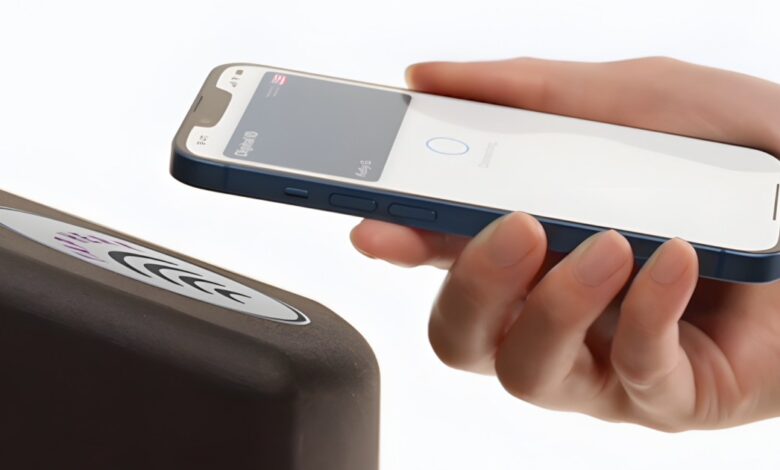
The setup is straightforward. Users begin by scanning the photo page and chip of their physical passport. Next, they upload a selfie and perform specific facial or head movements to enhance security measures.When it’s time to use the Digital ID, accessing it is as easy as double-clicking the side or home button on your device, selecting your ID from Apple Wallet, and authenticating with Face ID or Touch ID.
Apple emphasizes that this entire procedure is fully encrypted, ensuring that personal information remains secure throughout.
The Importance of Digital IDs in Today’s World
This new feature builds upon Apple's existing ability to add driver’s licenses or state-issued IDs into Wallet. By utilizing the robust security features inherent in Apple devices—such as privacy controls and biometric authentication—users can reduce their reliance on physical forms of identification.
with millions of iPhone users across America, this launch could signal a significant shift towards digital-first government identification methods. Essentially, Apple Wallet is evolving into a complete digital wallet that not only handles payment options but also stores vital identity credentials.
Why You Should Pay attention
The introduction of Digital IDs within Apple wallet offers quick and reliable contactless identity verification through an interface many are already familiar with—the iPhone screen. This means you can leave behind physical passports or licenses when traveling domestically, which minimizes risks associated with loss or theft during your journeys.
If you want to take advantage of this feature, ensure you have an iPhone 11 or newer running iOS 26.1—or an Apple Watch Series 6 or later equipped with watchOS 26.1. Additionally,your device must be set to U.S.-based regions while two-factor authentication needs activation for your Apple account.
A Glimpse Into Future Possibilities
Looking ahead, there are plans for users of apple Wallet to present their Digital IDs at various businesses and organizations for age verification purposes—whether that's shopping in-store or online transactions requiring proof of identity without needing a physical card.
This capability could facilitate purchases involving age-restricted items while also simplifying logins on websites demanding user verification—all without reaching for conventional forms of identification like driver's licenses or passports.
Moreover, it's likely that Apple's integration APIs will expand further along with enhanced security features as they collaborate with both governmental bodies and private enterprises aimed at increasing adoption rates among consumers.
A Note About International Travel
however exciting these advancements may be domestically; travelers should remember that carrying physical forms of identification will still be necessary when venturing abroad since international travel regulations remain unchanged regarding accepted documentation requirements.
And don't forget! NoveByte might earn a little pocket change when you click on our links helping us keep this delightful journalism rollercoaster free for all! These links don’t sway our editorial judgment so you can trust us! If you’re feeling generous support us here.