Samsung Integrates Google’s Nano Banana AI for Enhanced Image Editing
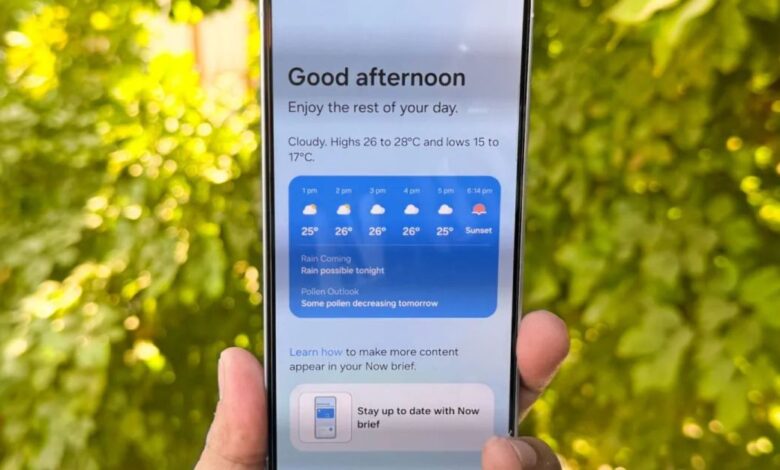
samsung has recently introduced a new feature that incorporates Google’s well-known image-editing AI, Nano Banana, into the ‘Now Brief’ section of the Personal Data Intelligence app on select Galaxy smartphones. This update is currently being rolled out too devices that support Galaxy AI, as reported by SamMobile.
How to Access the New Feature
If you want to experience this exciting addition, simply update your Personal Data Intelligence app through the Galaxy Store on your compatible Galaxy phone. After updating, you’ll notice a new option labeled “Nano Banana image-creation” in the settings of Now Brief.
Once you toggle this feature on, Now Brief will randomly select an image from your gallery—usually a selfie—at the end of each day. It will then provide prompts that allow you to creatively alter it using Google’s nano Banana AI.
The selected photo is sent to Google's servers for processing. Afterward, you'll have options to save, copy, or share your newly edited image with ease.
The Significance of This Update
This development is noteworthy as Samsung is enhancing its AI capabilities within the Now brief section. The integration transforms it into an innovative space for creativity and self-expression.
Nano Banana offers various features such as text and image prompts along with multi-image fusion capabilities. This means edits can maintain recognition of individuals in selfies while allowing changes in background or style—far surpassing what basic filters can achieve.
This collaboration between Samsung's Galaxy AI and Google's Gemini ecosystem highlights a trend where device manufacturers are joining forces rather then working independently when it comes to artificial intelligence advancements.
Why You Should Be Excited
if you're curious about trying out Galaxy AI without owning a supported device yet, ther's good news! You can access Samsung's browser demo available online. Though, if you're already using one of their compatible phones and enjoy experimenting with images, this new feature provides an effortless way to refresh your photos using advanced artificial intelligence tools.
Your Next Steps
If you're eager to dive into this innovative world of AI-driven image editing on your Samsung phone, make sure you've updated the Personal Data Intelligence app via the Galaxy Store frist!
A word of caution: since images are uploaded for processing by Google’s servers during editing sessions, it's wise to check your permission settings carefully and understand what data may be shared during this process.
What Lies Ahead?
Samsung frequently rolls out updates incrementally; therefore expect additional features like style packs and new prompt templates soon! More devices may also gain support over time as they continue enhancing user experiences across their product line-up.
And don't forget! NoveByte might earn a little pocket change when you click on our links, helping us keep this delightful journalism rollercoaster free for all! Thes links don’t sway our editorial judgment so you can trust us. If you’re feeling generous support us here!